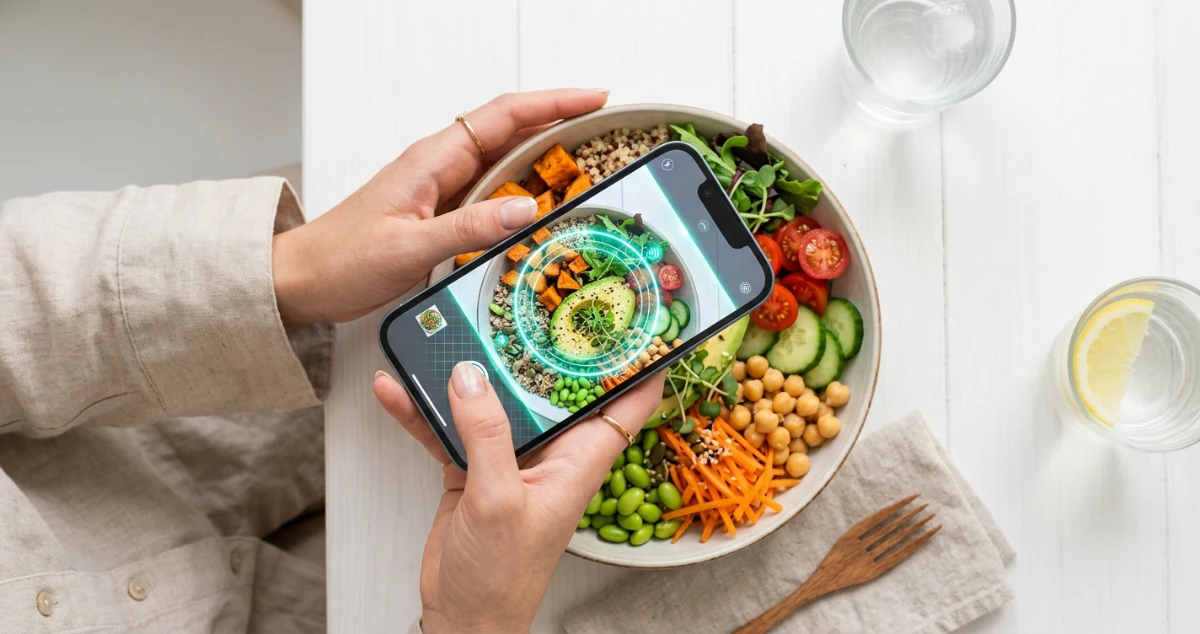
How AI photo calorie counting works
Taking a photo of your food and getting back a calorie count used to be a novelty feature with questionable accuracy. In 2026, large multimodal AI models have made it a genuinely reliable logging method — not perfect, but good enough for consistent tracking.
The process works in three stages. First, the AI identifies what food is in the image by comparing visual patterns against a large database of food images — it recognises that a brown ring-shaped item on a plate is a bread roll, that green leafy strands are rocket, and that a pale yellow blob is scrambled eggs. Second, it estimates portion size by analysing the relative scale of the food against the plate, utensils, or other reference objects in the frame. Third, it looks up the nutritional composition for each identified item and scales it to the estimated portion, returning total calories and macros.
This sounds simple, but the underlying models processing the image are working with hundreds of visual features simultaneously — texture, colour, shadow, depth cues, visible steam, cooking method, and more. Modern AI can distinguish between grilled and fried chicken, identify a sauce as creamy versus tomato-based, and estimate that a pile of pasta is roughly 150g versus 250g based on plate coverage.
How accurate is it really?
This is the question everyone asks, and the honest answer is: accurate enough for consistent tracking, not accurate enough to trust completely on any single meal.
A 2024 validation study published in Nutrients tested AI photo analysis against weighed food records across 847 meals. For simple meals with visible, separately plated components, AI estimates were within 15% of the actual calorie content 78% of the time. For complex mixed dishes, accuracy dropped to within 15% for about 55% of meals.
| Food type | Typical accuracy | Main source of error |
|---|---|---|
| Simple plates (protein + veg + carb) | ±10–15% | Portion size estimation |
| Packaged / labelled food | ±5% | Label rounding |
| Restaurant meals | ±15–25% | Hidden fats and sauces |
| Mixed dishes (curry, stew, pasta bake) | ±20–35% | Ingredient composition unknown |
| Baked goods, desserts | ±15–30% | Density and ingredient variation |
Importantly, the error is roughly random rather than systematically biased in one direction. AI analysis tends to overestimate some meals and underestimate others, which means across a week of logging, the errors partially cancel out. This is different from manual logging, where the bias is almost always toward underestimation — people consistently skip logging sauces, cooking oils, and "small" snacks.
Step-by-step: how to get the best results
The technique you use to photograph your food has a significant impact on accuracy. Here's the process for consistently good results:
Photograph before you eat or mix anything
Once you've mixed a salad, poured dressing, or started eating, it's much harder for the AI to identify components and estimate portions. Take the photo as soon as the meal is plated.
Shoot from directly above (top-down)
A top-down or slight 45-degree angle gives the AI the most information about what's on the plate. Side angles obscure portions and hide food items underneath others.
Include the whole plate in frame
The plate acts as a size reference. If the AI can see the full plate and knows that a standard dinner plate is roughly 27cm, it can estimate portion sizes more accurately than if you've zoomed in on the food.
Good lighting — natural light is best
Dark, shadowy photos obscure food colours and textures that the AI uses to identify items. Natural daylight or a well-lit room gives the best results. Avoid direct flash, which flattens the image and removes texture cues.
Review and edit the breakdown
After the AI returns its estimate, check each line item. If something is clearly off — it identified bread as a cracker, or estimated 300g of pasta when you know it was 150g — edit it before logging. Two minutes of review makes a big difference to weekly accuracy.
Try photo calorie counting — completely free
FreeCalorieTracker's AI photo analysis identifies your food and calculates calories and macros in seconds. Free users get 3 scans per day. No credit card needed.
Try it free →What photo analysis is best and worst for
Photo logging excels at:
- Home-cooked meals with visible components — a plate of grilled salmon, roasted vegetables, and rice is ideal. Each component is identifiable and the portions are visible
- Breakfast foods — eggs, toast, yogurt, fruit and cereal are among the most accurately recognised food categories
- Salads and grain bowls — toppings are visible and the AI handles mixed-ingredient dishes well when the components are on the surface
- Restaurant meals — large, visible portions on restaurant-sized plates are easy to estimate, often better than guessing from a menu
- Snacks and single-ingredient foods — a banana, an apple, a handful of nuts — these are identified with very high confidence
Where to use barcode scanning or manual entry instead:
- Packaged foods with barcodes — the barcode scanner gives exact nutritional data from the product label, which is always more accurate than a photo
- Liquid calories — smoothies, soups, sauces poured over food. The AI struggles with volume estimation for liquids and hidden calories in sauces
- Dense layered dishes — lasagne, pies, burritos. The hidden layers make ingredient estimation unreliable
- Heavily garnished dishes — when the main component is buried under a sauce or garnish, the AI may misidentify the primary food
Photo vs manual logging: which is better?
Manual logging from a database is theoretically more precise — if you select the exact food, weigh it accurately, and enter the right portion size, you can get very close to the true calorie count. But this rarely happens in practice.
Most people using manual logging:
- Select the wrong database entry (user-submitted entries can be off by 20–30%)
- Estimate portions visually rather than weighing them
- Skip logging inconvenient meals — restaurant food, meals at other people's houses, snacks eaten on the go
- Forget to log cooking fats, sauces, and drinks
A 2022 study in JMIR mHealth found that photo logging resulted in 31% more meals logged per week compared to manual entry, with no significant difference in measured weight loss outcomes between the groups over 12 weeks. The consistency advantage of photo logging outweighed the precision advantage of careful manual entry.
10 tips for more accurate photo calorie scans
- Photograph before adding sauces or dressings — log the base meal first, then add the sauce as a separate entry using the barcode or manual search
- Use a plain, light-coloured plate — dark plates reduce contrast and make it harder for the AI to identify individual food items
- Separate mixed ingredients when possible — if you're making a rice bowl, plate the components separately before mixing for the photo, then mix to eat
- Note the restaurant name when eating out — many chain restaurants have exact menu data in food databases; the AI estimate and manual lookup can be cross-checked
- Edit the weight, not just the item — if the AI correctly identifies the food but the portion seems wrong, adjust the weight rather than swapping the item to preserve accuracy
- Log at meal time, not retrospectively — trying to estimate a meal you ate six hours ago introduces more error than any AI inaccuracy
- Include context objects — a fork, knife, or standard-sized glass in frame helps the AI calibrate portion size
- Log the oil or butter you cooked with — this is the most commonly missed entry and can add 80–200 calories to a meal. Add it manually after the photo scan
- Don't delete estimates that seem high — if the AI says a meal is 800 calories and that seems high to you, verify rather than deleting. Cognitive bias makes us underestimate the calories of foods we enjoy
- Use photo analysis for new foods you don't recognise — the AI often knows the calorie content of regional dishes and cuisines that aren't well-represented in manual food databases
Frequently asked questions
Related guides
Start logging your meals by photo
FreeCalorieTracker gives you AI photo calorie counting, barcode scanning, and personalised macro targets — all free, no subscription required.
Get started free →